
How to Reset Cuisinart Air Purifier? The Easy Guide for 2026
Resetting your Cuisinart air purifier is a simple process usually involving a long press on the “Filter” or “Reset” button after a maintenance cycle. By following these manufacturer-approved steps, you can clear persistent indicator lights and ensure your device continues to clean your home’s air effectively.
We have all been there. You are relaxing in your living room, enjoying the fresh air produced by your Cuisinart device, when suddenly, a bright light starts flashing. It is that pesky “Replace Filter” indicator staring you down.
Even if you have just swapped in a brand-new filter, that light can be stubborn. Knowing how to reset Cuisinart air purifier systems is a key skill for any homeowner who wants to keep their indoor environment clean, healthy, and quiet.
In this guide, we will walk you through the exact steps to get your unit back in shape. Whether you have a compact tabletop model or a larger unit for the bedroom, the process is usually quite straightforward. We want to help you take the guesswork out of maintenance so you can spend less time troubleshooting and more time breathing easy.
Key Takeaways
- Routine Resets: Knowing how to reset Cuisinart air purifier models is essential for clearing the “Replace Filter” light after you install a new HEPA or carbon filter.
- Indicator Signals: Most units use a blinking or solid red light to signify that the filter life has expired and needs your immediate attention.
- Power Cycling: Sometimes, a simple power cycle is all that is needed to clear minor software glitches or sensor errors before a full reset.
- Maintenance Timing: Always reset the device immediately after installing a new filter to ensure the timer tracks the life of the new unit accurately.
- Safety First: Ensure the device is unplugged or powered off during the physical filter swap to protect yourself and the internal electronics.
Understanding Your Air Purifier Alerts
Your Cuisinart air purifier is built with smart sensors that track how long the filter has been in use. Think of it like the oil change light in your car. It is not necessarily measuring the exact amount of dust on the filter, but rather tracking the runtime hours. This is why you must learn how to reset Cuisinart air purifier units every time you change the physical filter.
What the Indicator Light Means
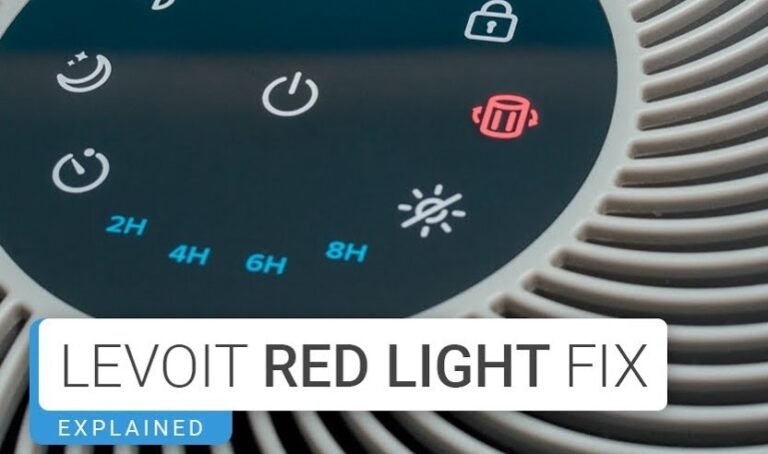
When the light turns red or starts to blink, it is a friendly nudge from your machine. It is telling you that the internal timer has reached its limit. This limit is typically set for about 2,000 to 3,000 hours of use, depending on your specific model.
Ignoring this light is not dangerous, but it does mean your machine might stop working as efficiently as it should. A clogged filter makes the motor work harder, which can lead to higher electricity bills and more noise.
Why Manual Resets are Necessary
Unlike some high-end smart devices that reset automatically when a sensor detects a new filter, most Cuisinart units require human input. This manual reset acts as a “start over” command for the internal clock. If you skip this step, the machine will keep thinking the old, dirty filter is still inside, and the warning light will remain on, which can become quite distracting in a dark room.
Step-by-Step Guide: How to Reset Cuisinart Air Purifier
If you are ready to get that light turned off, grab your manual or just follow these simple instructions. We have broken this down into the most common method used across the Cuisinart lineup. Please note that while specific button placements vary, the logic remains the same across most digital control panels.

Visual guide about How to Reset Cuisinart Air Purifier
Image source: hvacseer.com
The Standard Button-Hold Method
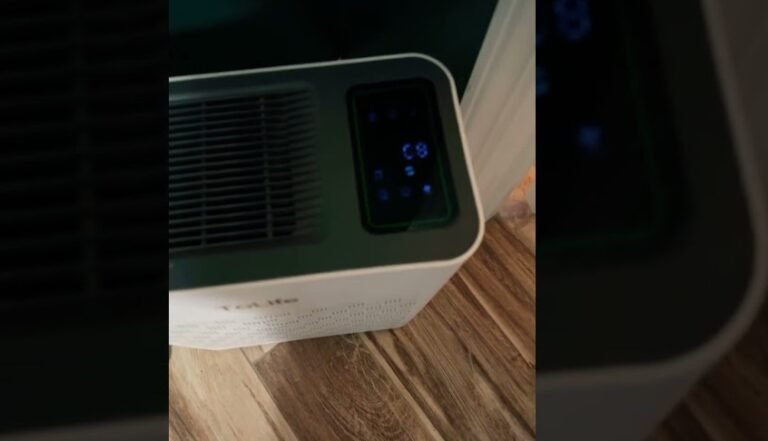
For the majority of Cuisinart air purifiers, the reset process is a tactile experience. First, ensure that your unit is plugged in and turned on. Locate the button labeled “Filter” or the button marked with a small light icon.
Press and hold this button firmly for about three to five seconds. You should see the indicator light blink or change color once the reset is successful. If it does not change, try holding it for a full ten seconds. Sometimes, these buttons are sensitive to the duration of the press.
Handling Difficult Resets
What if the light stays on? Do not panic. Sometimes the processor just needs a second to catch up. Unplug the unit entirely from the wall outlet. Leave it unplugged for at least one full minute.
This allows the internal capacitors to discharge completely, effectively clearing the short-term memory of the device. Plug it back in and repeat the “press and hold” method. This “power cycle” technique works for almost every electronic issue you might encounter with your air purifier.
Proper Filter Maintenance Tips
Knowing how to reset Cuisinart air purifier lights is only half the battle. To keep your air quality high, you should also focus on how you handle the filters themselves. Keeping your filters in good condition ensures that when you do reset the timer, the machine is truly ready for another long cycle of cleaning.
Cleaning Pre-Filters
Many Cuisinart models feature a pre-filter, which is a fine mesh screen that catches large particles like hair or dust bunnies. You do not need to replace this every time you reset the unit. Instead, take a vacuum cleaner with a soft brush attachment and gently run it over the pre-filter once a month. This keeps the primary HEPA filter from getting clogged too quickly, saving you money on replacement costs.
Checking for Airflow Obstructions
Sometimes, the unit might feel like it is not blowing enough air even after a reset. Before you assume the motor is failing, check the intake and exhaust vents. If these are pushed against a wall or blocked by furniture, the machine cannot cycle air efficiently. Always leave at least six to twelve inches of space around all sides of your air purifier to ensure optimal performance.
Troubleshooting Common Issues
Even with the best maintenance, electronics can be finicky. If you are struggling with your unit, don’t worry. Most issues are minor and easy to fix at home without needing a technician or a new device.
The “Ghost” Light Problem
If your indicator light comes back on immediately after a reset, you might have a sensor issue. This is rare, but it can happen if dust has settled on the internal sensor housing. Use a can of compressed air to gently blow out the area near the filter compartment. This often clears away debris that might be confusing the sensor and causing it to falsely report that a filter change is needed.
When to Call Support
If you have tried the hard reset, cleaned the sensors, and replaced the filter, yet the light remains, it might be time to contact customer support. Before you call, make sure you have your model number handy this is usually found on a sticker on the bottom or back of the unit. Being prepared with your model number makes it much easier for the support team to give you specific, accurate advice.
Safety Guidelines for Maintenance
Your air purifier is an appliance, and like any appliance, it requires respect. When you are learning how to reset Cuisinart air purifier systems, you are likely also opening the casing to swap filters. Always prioritize your safety and the longevity of your machine.
Power Safety
Never attempt to clean or change a filter while the unit is plugged into an active power source. A sudden surge or an accidental touch of the power button while your fingers are near the fan blades could lead to injury. Always unplug the power cord first. It is the golden rule of home appliance maintenance.
Using Genuine Filters
While generic third-party filters might seem tempting because they are cheaper, they often lack the precise dimensions or seal quality of genuine Cuisinart filters. A poorly fitted filter can cause air to bypass the HEPA membrane, rendering the entire cleaning process useless. Furthermore, some aftermarket filters have different densities, which can confuse the machine’s airflow sensors, potentially causing your reset light to trigger prematurely.
Conclusion: Breathing Better Every Day
Mastering the maintenance of your home appliances is a great way to save time and reduce stress. By learning how to reset Cuisinart air purifier units, you have taken control of your indoor air quality. You now know that a simple button press, combined with regular cleaning, is the key to a long-lasting and effective air purifier.
Remember, the goal is to create a clean, fresh space for yourself and your family. With these simple tips, your Cuisinart will continue to hum along quietly in the background, scrubbing away allergens and keeping your home environment pristine. If you ever forget the steps, feel free to bookmark this guide and revisit it whenever that red light decides to make an appearance. Stay fresh and breathe easy!
Frequently Asked Questions
How often should I reset my Cuisinart air purifier?
You should only reset your air purifier immediately after you have installed a brand-new filter. Resetting it at any other time will cause the internal timer to become inaccurate, meaning you won’t know when the filter actually needs to be replaced.
Will the air purifier stop working if I don’t reset the light?
In most cases, the air purifier will continue to run even if the filter light is on. However, the machine may not operate at its maximum efficiency, and the constant light can be an annoying distraction in your home.
Is it possible to reset the unit without a button?
Some models have a specific button combination or a hidden reset pinhole, but the vast majority of Cuisinart models use a simple long-press on the “Filter” button. Check your specific manual if the standard long-press does not work for your model.
What if my reset light is still blinking after a successful reset?
If the light persists, try the power cycle method by unplugging the unit for a full minute. If that fails, ensure the filter door is completely closed and snapped into place, as many models have a safety switch that monitors the door status.
Do I need to turn the unit off before pressing the reset button?
Most Cuisinart units require the power to be “on” so that the control panel can register the reset command. However, always refer to your specific model’s user guide as some designs may prefer the unit to be in standby mode.
Can I use a vacuum to clean the filter instead of replacing it?
You can vacuum the pre-filter to extend its life, but the main HEPA filter should be replaced according to the manufacturer’s schedule. Vacuuming a HEPA filter can damage the fine fibers and reduce its ability to trap microscopic allergens.