
How to Reset Afloia Air Purifier Filter? Step by Step Guide for 2026
Resetting your Afloia air purifier filter is a quick, two-minute task that ensures your device tracks air quality accurately. By following the specific button combinations for your model, you can clear the reminder light and restore peak performance to your home air purification system.
Living in 2026, we all know how important indoor air quality is for our health and comfort. You have likely noticed that little light blinking on your Afloia air purifier. It is the machine’s way of telling you that it has been hard at work for several months and needs a little attention.
Many people find this light annoying, but it is actually a very helpful feature. It tells you exactly when your HEPA filter has reached its capacity to trap dust, pollen, and pet dander. Learning how to reset Afloia air purifier filter settings is one of the most useful skills for any homeowner.
It is not just about turning off a blinking bulb; it is about resetting the internal timer so the device knows you have installed a fresh, clean filter. When you reset the system, you ensure the air purifier is working at its best. If you skip this step, the machine might not adjust its fan speeds correctly or continue to warn you despite having a new filter inside.
Key Takeaways
- Regular Resets: Resetting the filter light is necessary every 3-6 months to ensure the device monitors your air quality correctly.
- Universal Button Logic: Most Afloia models use a long-press on the “Filter” or “Power” button to clear the alert.
- Physical Maintenance: Always clean the exterior sensors and replace the physical HEPA filter before resetting the electronic indicator.
- Model Variations: Different Afloia versions may have slightly different button sequences, so check your specific manual if the standard hold-down method fails.
- Performance Impact: An un-reset filter alert can cause the purifier to run inefficiently, leading to higher energy use and poor air cleaning.
- Safety First: Always unplug your unit before performing deep cleans or maintenance on the sensor housing.
Why the Filter Reset Light Matters
Your Afloia air purifier is smarter than it looks. Inside the casing, it keeps track of how many hours the motor has been running. Once it hits a certain threshold—usually around 2,000 to 3,000 hours—it triggers the filter replacement light. This is a pre-programmed reminder based on average usage. It does not actually “see” how dirty your filter is, but it does a great job of guessing based on time.
The Link Between Maintenance and Air Quality
When you ignore the reset light, you lose the benefits of your air purifier. The filter is the heart of the device. If the HEPA material is clogged with dust, the fan has to work much harder to push air through the mesh.
This uses more electricity and creates more noise. By replacing the filter and performing the reset, you are giving your device a fresh start. You will notice the airflow becomes stronger and the noise levels drop significantly.
Understanding the Internal Timer
The internal timer is simple. It starts counting the moment you plug it in or when you last performed a reset. Think of it like the oil change light in your car. It tells you it is time to check the status of your equipment.
Resetting it essentially tells the machine, “I have put in a fresh filter, please restart the clock.” Without this signal, the machine remains in a state of high alert, which can sometimes lock certain features or keep the fan in a lower power mode.
Step-by-Step Guide to Resetting Your Filter
While Afloia has many different models from the sleek desk units to the large floor-standing towers the process to reset the filter light is fairly consistent. Most users find that they can solve the problem in under two minutes. You do not need any special tools, just your fingers and your air purifier.

Visual guide about How to Reset Afloia Air Purifier Filter
Image source: airpurifierfirst.com
The Standard Long-Press Method
For the majority of Afloia models released up to 2026, the process is very similar. First, make sure you have physically replaced the old filter with a new one. Do not reset the light if you haven’t changed the filter, as this will confuse the machine’s maintenance schedule.
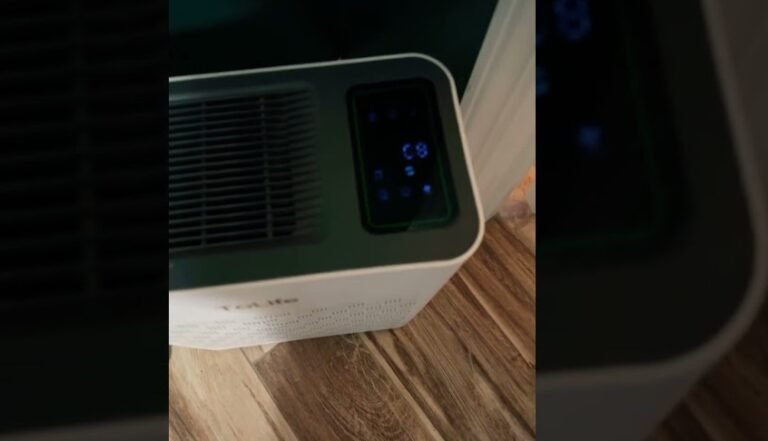
With the unit turned on, locate the button labeled “Filter” or the button marked with a small light icon. Press and hold this button down firmly for about three to five seconds. You should hear a short beep, and the light should stop blinking or turn off entirely.
What To Do If The Light Stays On
Sometimes, the light might not go off on the first try. This often happens because the button was not held long enough. Try it again, and count to five slowly. If it still persists, turn the unit off, unplug it for thirty seconds, and then plug it back in.
This power-cycling process often resets the electronic board, making it much more receptive to the button command. If you have an Afloia model with a touch-screen panel, ensure your hands are clean and dry, as moisture or grease on the panel can sometimes block the signal.
Physical Filter Maintenance Best Practices
Knowing how to reset the filter is only half the battle. You need to make sure the physical filter is ready to go. Many people simply reset the light without cleaning the interior, which is a mistake. Taking five extra minutes to clean the housing makes a huge difference in the longevity of your machine.
Removing and Checking Your Filter
Always unplug the power cord before you open the bottom or back panel. Once open, pull the filter out. If you see thick layers of dust on the exterior mesh, you know the filter has done its job well. If the filter feels heavy or looks gray and discolored, it is time for a replacement.
While some pre-filters can be vacuumed, the main HEPA filter should always be replaced. Never wash a HEPA filter with water, as it will destroy the fiber structure and render the purifier useless.
Cleaning the Sensor Housing
While the filter is out, take a moment to peek inside the air purifier. Look for the small sensor window. These sensors monitor your indoor air quality. If they get dusty, they might give you false readings, making the machine run on high when it doesn’t need to. Use a soft, dry cloth or a cotton swab to gently wipe the area around the sensor. This simple act keeps the automatic mode working perfectly for months to come.
Troubleshooting Common Reset Issues
Even with simple machines, technology can occasionally be stubborn. If you have followed the instructions to reset your Afloia air purifier filter and the light remains, don’t panic. There are a few common culprits that most people overlook.
Power Supply and Connection
Check the power cord. If the connection is loose, the machine might be experiencing micro-power failures that interfere with the save function of the reset. Ensure the plug is pushed firmly into the wall outlet.
Additionally, make sure the filter cover is clicked completely into place. Many Afloia models have a safety switch inside the door; if the door isn’t closed perfectly, the unit won’t accept the reset command because it thinks the unit is still “open.”
The “Power-Off” Technique
Some users find success by performing the reset while the unit is in standby mode. Instead of having the fan running at high speed, press the power button to turn off the fan, but keep the unit plugged in. Then, perform the long-press on the filter button. The absence of the motor vibration or fan noise can sometimes make it easier for the touch interface to register your long-press without error.
Extending the Life of Your Afloia Filter
Now that you know how to reset the filter light, you might want to know how to make your filters last a little longer. While you should always follow the manufacturer’s recommendations for replacement, simple habits can prevent you from needing to buy new filters more often than necessary.
Managing Dust Levels
The more dust you have in your house, the faster the filter will fill up. Use a doormat at your entrance to catch outside debris. Groom your pets regularly to prevent excess hair from entering the air stream. By keeping the floor clean, you take the workload off your air purifier, allowing the filter to focus on the microscopic allergens that you cannot see.
Strategic Placement
Don’t place your purifier in a corner or behind curtains. It needs a good flow of air from all sides to work effectively. If the unit is blocked, it has to work twice as hard to draw in air, which can cause internal heating and premature filter aging. Keep the device in the center of the room or at least three feet away from furniture for the best results.
Conclusion
Resetting your Afloia air purifier filter is a simple, satisfying task that keeps your home environment healthy and your device efficient. By taking a few moments every few months to swap out your filter, clean your sensors, and perform the reset procedure, you are ensuring that you and your family are breathing the cleanest air possible.
Remember, these devices are designed to serve you for a long time, and a little bit of care goes a long way. Stay diligent with your maintenance, and your Afloia will continue to protect your indoor air quality for years to come.
Frequently Asked Questions
How often should I reset my Afloia air purifier?
You should reset the filter light every 3 to 6 months, or whenever you physically replace the HEPA filter. The reset is designed to calibrate the machine to a fresh, clean filter so it can accurately track the air quality.
Why does the filter light keep flashing after I replaced the filter?
The light remains flashing because the internal computer does not know you replaced the filter yet. You must perform the manual reset sequence—usually a long-press on the filter button to clear the signal and restart the timer.
Can I clean a HEPA filter instead of replacing it?
You should generally not wash or clean the main HEPA filter with water, as this damages the internal fibers. You can vacuum the exterior pre-filter screen to remove large dust, but the primary filter should always be replaced once the light indicates it is time.
What if my model doesn’t have a specific “Filter” button?
If your model lacks a dedicated button, try pressing and holding the Power button or the Night Mode button for five seconds. Check your specific user manual, as manufacturers sometimes change button assignments between different production years.
Will the air purifier stop working if I don’t reset the light?
On most Afloia models, the device will continue to function, but the light will remain a nuisance. However, some newer units may default to lower fan speeds or limit features to prevent the motor from straining against a potentially clogged filter.
Does unplugging the purifier reset the filter light?
No, unplugging the device will not reset the filter light. The machine uses non-volatile memory to store the filter usage hours, so the timer persists even when the power is disconnected; you must perform the manual reset sequence.