Can I Mate an Anker Mouse to a Pc Dongle (What Works)
Connecting an Anker mouse to a different PC dongle is generally not possible because most wireless mice use proprietary, factory-paired signals. You usually need to use the specific receiver that came in the box to ensure your device functions correctly with your computer.
We have all been there. You are tidying up your desk, moving hardware between workstations, or perhaps cleaning behind your computer tower, and suddenly, the tiny USB receiver for your wireless mouse goes missing. You look at your trusty Anker mouse, look at a spare PC dongle sitting in a junk drawer, and wonder, “Can I mate an Anker mouse to a PC dongle?” It seems like such a simple task, right? They both have the same physical USB shape, so why shouldn’t they talk to each other?
The short answer is usually a frustrating “no.” While the world of wireless technology feels like magic, there is a complex handshake happening between your mouse and its receiver. In this guide, we are going to dive deep into why this happens, how these devices actually work in 2026, and what you can do if you find yourself holding a mouse with no way to connect it. Grab a coffee, and let’s get into the nitty-gritty of wireless peripherals.
Key Takeaways
- Proprietary Pairing: Most Anker wireless mice are hard-coded to communicate only with their original USB dongle.
- Factory Limitations: Unlike high-end gaming mice with universal receivers, budget-friendly wireless office mice lack cross-compatibility.
- Lost Receivers: If you lose your dongle, the mouse usually becomes obsolete unless you have an Anker model that supports Bluetooth.
- Interference Check: Always rule out signal interference before assuming your dongle is broken or incompatible.
- Software Solutions: Check the Anker website to see if your specific model supports “Anker Connection Utility” software for re-pairing.
Understanding Wireless Mouse Connectivity
To understand why you cannot just swap receivers, you have to look at the radio frequency (RF) technology inside your hardware. Most wireless mice, including those from Anker, operate on the 2.4GHz spectrum. This is a crowded space. Your Wi-Fi router, your Bluetooth headphones, and your microwave are all potentially using parts of this spectrum.
The Secret Life of Proprietary Signals
Manufacturers like Anker do not just broadcast a generic “I am a mouse” signal to any receiver that will listen. Instead, they use a unique digital ID. When your mouse leaves the factory, it is “mated” or paired to the specific USB dongle inside the box. This pairing is often burned into the firmware of the chip.
When you plug that dongle into your PC, your computer sees a generic “HID” or Human Interface Device. But the dongle itself is waiting for a very specific cryptographic key from the mouse. If your spare PC dongle does not have that exact key programmed into its memory, it will simply ignore the signals coming from your Anker mouse. It is like trying to open your front door with a key that fits the lock but has the wrong teeth.
What About Bluetooth Mice?
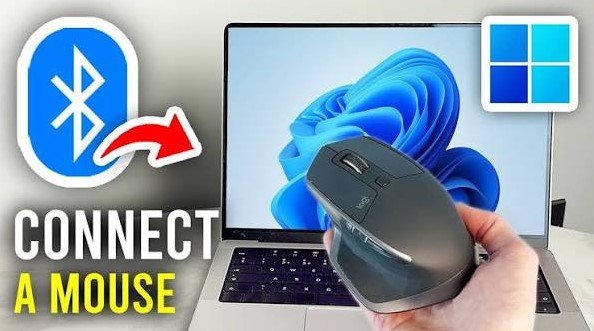
If your Anker mouse is a Bluetooth model, the answer changes completely. Bluetooth is a standardized protocol. If you have an Anker Bluetooth mouse, you do not need a dongle at all. You can “mate” it to your PC by putting the mouse into pairing mode and selecting it from your computer’s Bluetooth settings menu. This is the most reliable way to connect in 2026, as it avoids the need for USB dongles entirely.
The Technical Limitations of USB Dongles
You might be thinking, “Why don’t they just make one receiver for all mice?” The answer comes down to cost and reliability. Proprietary pairing allows companies like Anker to produce high-quality, reliable mice at an accessible price point. When a mouse and receiver are matched at the factory, they work seamlessly without the user needing to run complex software or troubleshoot pairing errors.
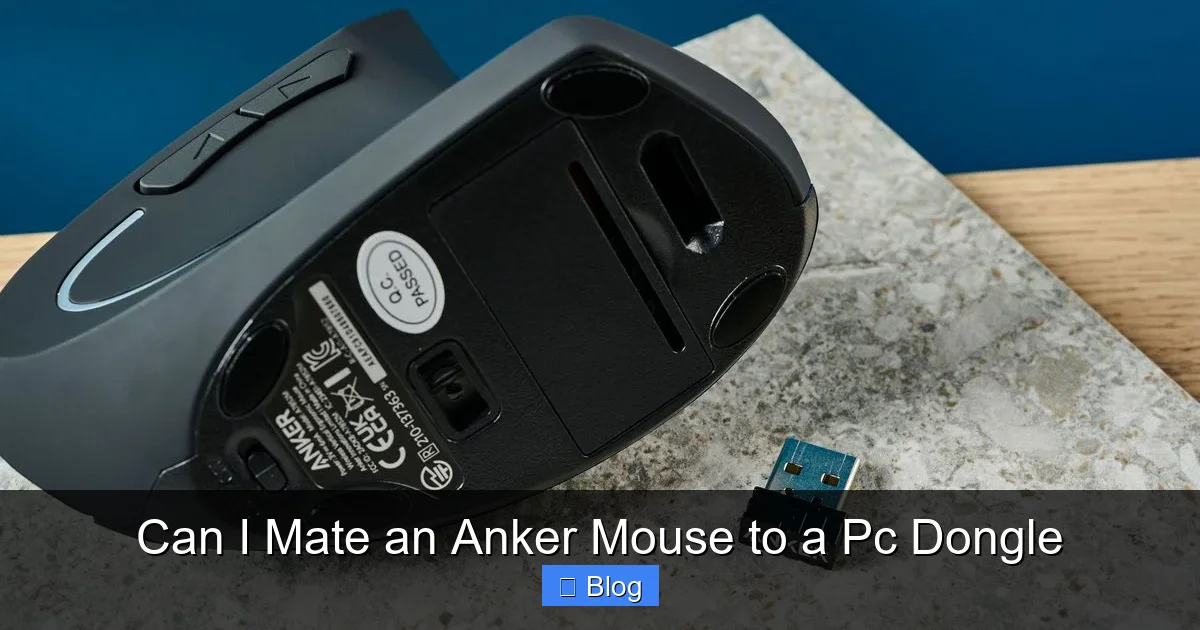
Visual guide about Can I Mate an Anker Mouse to a Pc Dongle
Image source: cdn.mos.cms.futurecdn.net
The Role of Firmware and Hardware IDs
The firmware inside your Anker mouse is specialized. If you attempt to use a receiver from a different brand, or even a different model of Anker mouse, the hardware IDs will not match. In the world of USB connectivity, these IDs are used to identify what a device is and how it should behave. If the ID is unknown to the PC, the computer may not even register that a device is plugged in, or it might report an “Unknown Device” error in your Device Manager.
Can You Re-Pair Devices Manually?
Some premium brands allow users to re-pair a mouse to a new receiver using a utility program. However, most budget-friendly wireless mice do not support this feature. The chipsets used in these devices are often one-time programmable. Once the pairing is set at the factory, it is permanent. While this sounds restrictive, it ensures that your mouse does not accidentally “connect” to your neighbor’s receiver through the wall, which would be a security and usability nightmare.
Troubleshooting Your Wireless Connection
If your Anker mouse is not working, do not jump to the conclusion that the dongle is incompatible. Sometimes, it is just a simple matter of connection issues. Before you give up on the mouse, run through these quick steps to make sure everything is working as intended.
Check the Basics First
It sounds silly, but check your batteries. Wireless mice are notorious for acting “broken” when they are actually just low on power. Swap in fresh batteries and see if the light on the bottom of the mouse turns on. If the sensor is glowing, the device has power. If it is not glowing, the mouse might be dead, or the power switch might be toggled off.
Dealing with Signal Interference
If you are using a desktop computer, the USB port on the back of the tower might be obstructed by the metal casing. This blocks the 2.4GHz signal, leading to erratic movement or a complete failure to connect. Try plugging your dongle into a front USB port or a USB hub that sits on your desk. This puts the dongle in a direct line of sight with your mouse, which often solves the issue entirely.
When to Replace vs. Repair
So, the reality is that if you have truly lost the original dongle for a non-Bluetooth Anker mouse, you are likely looking at a replacement rather than a repair. It is a harsh truth, but the cost of a new mouse is often lower than the time you would spend trying to hack a firmware re-pairing process that might not even exist for your specific model.
Environmental Considerations
Before tossing your old mouse into the trash, consider the environment. Many modern peripherals are made from plastics that can be recycled. If you have to buy a new mouse, look for one that supports Bluetooth connectivity. In 2026, Bluetooth technology is extremely stable and eliminates the “dongle anxiety” that comes with traditional wireless mice. It allows you to switch your mouse between your laptop, tablet, and desktop without moving a single USB receiver.
Upgrading Your Setup
If you decide it is time for a new mouse, look for “Unified Receiver” models. Some manufacturers allow you to pair multiple devices to a single receiver. While this is not common for entry-level mice, it is a great feature if you find yourself needing to connect a keyboard and mouse simultaneously without wasting all your USB ports.
Common Myths About Wireless Mice
There are many myths floating around the internet about “universal” dongles. Let’s clear the air. Some people claim that if you hold a certain button combination while plugging in the dongle, the mouse will enter a “pairing mode.” While this is true for some gaming mice, it is rarely applicable to standard office mice from brands like Anker.
The “Any Dongle Will Do” Myth
Never believe an advertisement claiming a dongle is “universal” unless it is specifically sold as a programmable hub. Most “universal” USB receivers are actually just standard receivers for a specific brand’s ecosystem. You cannot take a receiver from a wireless keyboard and expect it to work with a mouse, even if they are from the same company.
The Software Patch Myth
Some forums might suggest downloading random driver files to force a connection. Be very careful with this. These files are often bundled with malware that can compromise your system. Always stick to official software found on the manufacturer’s support page. If Anker does not provide a re-pairing utility for your specific model, do not trust third-party tools that promise to “unlock” your hardware.
Conclusion
At the end of the day, the answer to “Can I mate an Anker mouse to a PC dongle?” remains a firm “no” for the vast majority of cases. These devices are designed to be plug-and-play, and that simplicity relies on a strict, factory-set relationship between the mouse and its specific receiver. When that receiver is lost, the relationship ends.
The best way to avoid this frustration in the future is to move toward Bluetooth-capable hardware. As we move further into 2026, Bluetooth technology has become the gold standard for connectivity, offering freedom from dongles and a much cleaner desk space. If you are stuck with a lost receiver, take it as an opportunity to upgrade to a more versatile Bluetooth mouse. Your desk and your sanity will thank you for it.
FAQs
Can I use a universal USB receiver for my Anker mouse?
No, there is no such thing as a truly universal receiver for wireless mice. Each mouse is hard-coded to work only with the specific receiver it was paired with at the factory.
Where can I buy a replacement dongle for my Anker mouse?
Unfortunately, Anker typically does not sell replacement dongles separately because they cannot be paired to your existing mouse. You would need to replace the entire mouse unit.
Will a different Anker dongle work with my mouse?
Even if both mice are from Anker, their dongles are usually specific to their model and internal frequency handshake. They are rarely interchangeable unless explicitly stated by the manufacturer.
How do I know if my Anker mouse has Bluetooth?
Check the bottom of your mouse for a “Bluetooth” or “BT” label and a pairing button. If it only has a power switch and a slot for a battery, it is likely a 2.4GHz wireless model only.
Why does my computer show “USB Device Not Recognized”?
This usually happens because the USB port is trying to read a signal it doesn’t understand or the receiver has suffered internal hardware failure. Try plugging the dongle into a different port to rule out a driver or hardware conflict.
Can I pair my mouse to my PC without a dongle?
If your mouse supports Bluetooth, you can pair it directly through your computer’s Bluetooth settings without any dongle. If your mouse is 2.4GHz only, you must use the original USB receiver that came in the box.