How to Charger Anker Power Bank (Simple Steps)
Charging your Anker power bank correctly is the secret to keeping your devices powered for years. By using the right cables, choosing high-speed wall adapters, and avoiding extreme temperatures, you ensure your Anker power bank stays efficient and reliable for all your 2026 travel needs.
We have all been there. You are out on a hike or sitting at a busy airport terminal, and your phone battery drops to that dreaded one percent. You pull out your trusty Anker power bank, only to realize it is empty too. Knowing exactly how to charger Anker power bank units is a fundamental skill for the modern digital nomad in 2026. Whether you are using the latest GaN-powered portable charger or a classic high-capacity model, the way you fuel your gear matters.
In this guide, we are going to walk through everything you need to know about getting your Anker gear back to full capacity. We will talk about chargers, cables, and even those little habits that can make your battery last for years instead of months. Grab a cup of coffee, and let’s dive into the world of portable power management.
Key Takeaways
- Use Certified Cables: Always use the original or high-quality USB-C or Lightning cables to ensure safe energy transfer.
- Select the Right Wall Charger: Match your power bank’s input wattage to your wall plug to maximize charging speeds.
- Avoid Extreme Heat: Never leave your power bank charging in direct sunlight or a hot car, as this degrades the lithium-ion cells.
- Don’t Overcharge: Modern Anker power banks have built-in chips to prevent overcharging, but unplugging them once full is still a best practice.
- Store at Partial Charge: If you aren’t using your power bank for a long time, store it with about 50% battery remaining to maintain health.
- Keep Ports Clean: Use a small, dry brush to clear out lint or debris from the input ports to ensure a solid connection.
The Basics of Powering Up Your Anker Bank
At its heart, understanding how to charger Anker power bank systems is quite simple. You connect a power source to the input port of the power bank. However, not all power sources are created equal. In 2026, technology has moved toward faster, more efficient charging standards like Power Delivery (PD) and PPS. Understanding these terms will save you hours of waiting time.
Choosing the Right Wall Adapter
The wall charger you plug into your outlet acts as the source of energy. If you use a cheap, low-wattage adapter, your massive 20,000mAh power bank might take all day to fill up. To charger Anker power bank devices quickly, look for a wall adapter that matches the input specifications listed on the back of your device. If your power bank supports 30W input, use a 30W or higher wall charger. Anker makes excellent GaN wall chargers that are perfect for this job.
Selecting the Correct Cable
Do not underestimate the power of a good cable. A thin, frayed cable might limit the amount of electricity flowing into your bank. Always opt for Anker’s PowerLine series or any cable that is certified for high-wattage throughput. A cable that cannot handle the wattage will result in slower charging times and, in some cases, heat buildup. Always inspect your cables for kinks or exposed wires before plugging them in.
Understanding Charging Speeds and Technology
In 2026, fast charging is the standard. Most newer Anker power banks support Power Delivery, which communicates with your wall adapter to determine the fastest, safest speed. When you want to know how to charger Anker power bank units with maximum efficiency, you need to look for the “Input” specs on the device label. If it says 45W, and you plug it into a 100W adapter, it will pull exactly what it needs without harming the battery.
The Role of Wattage
Think of wattage like water flow in a pipe. A higher wattage means a wider pipe, allowing more energy to move through at once. If your bank is designed for 60W charging, using a 20W charger will act like a thin straw. It will work, but it will be slow. Always check the wattage requirements on the back of your power bank to see if you are using the best adapter possible.
Safety Protocols Built In
One of the reasons we love Anker is their attention to safety. Their devices come with MultiProtect technology. This means that while you are learning how to charger Anker power bank models, you don’t have to worry about surges, short circuits, or overcharging. The internal smart chip inside the Anker bank regulates the energy intake automatically, ensuring that the battery cells stay within a safe temperature range during the entire cycle.
Optimal Charging Environments
Where you charge your device is just as important as the charger you use. Lithium-ion batteries are sensitive to temperature. If you try to charger Anker power bank units in a very hot environment, like a car dashboard in the summer, the battery efficiency will drop significantly. Ideally, charge your bank in a room-temperature environment away from direct sunlight.
Keeping it Cool
Heat is the number one enemy of any battery. During the charging process, it is normal for the power bank to get slightly warm to the touch. This is just the chemical reaction of the electrons moving into the cells. However, if the unit becomes hot to the touch, you should disconnect it immediately. Give it a few minutes to cool down before trying to plug it in again.
Avoiding Moisture
Electrical components and water are never a good mix. Never attempt to charger Anker power bank units in a bathroom with high humidity or near a pool. If moisture enters the charging port, it can lead to corrosion, which prevents the cable from making a proper connection. If you think the port has gotten wet, leave it in a dry, ventilated area for at least 24 hours before trying to use it again.
Maintaining Battery Health Over Time
You want your power bank to last for years, not just a few months. Proper maintenance is a big part of how to charger Anker power bank products effectively for the long term. You do not need to drain your power bank to zero before recharging it; in fact, lithium-ion batteries prefer being topped off rather than being fully discharged every time.
The 50 Percent Rule for Storage
If you are planning to put your power bank away in a drawer for a few months, do not leave it empty or 100 percent full. The ideal storage charge is around 50 percent. This puts the least amount of stress on the chemical structure of the internal cells. Every few months, take it out and check the charge levels, topping it back up to that 50 percent mark if necessary.
Visual Indicators
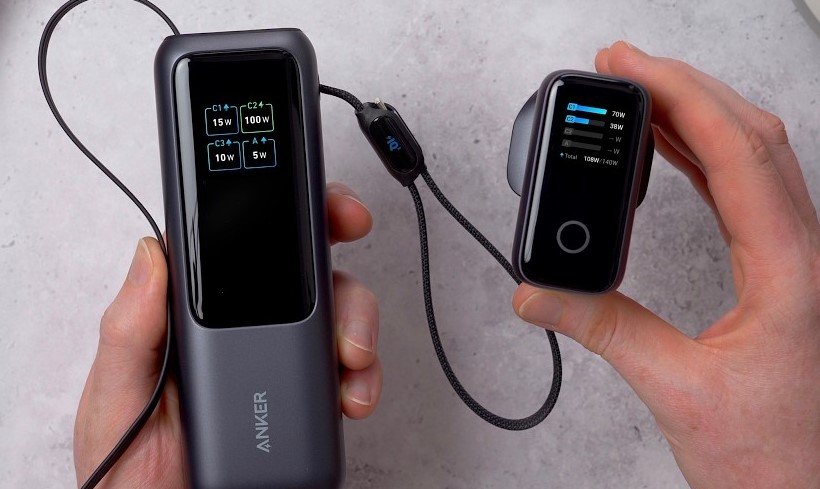
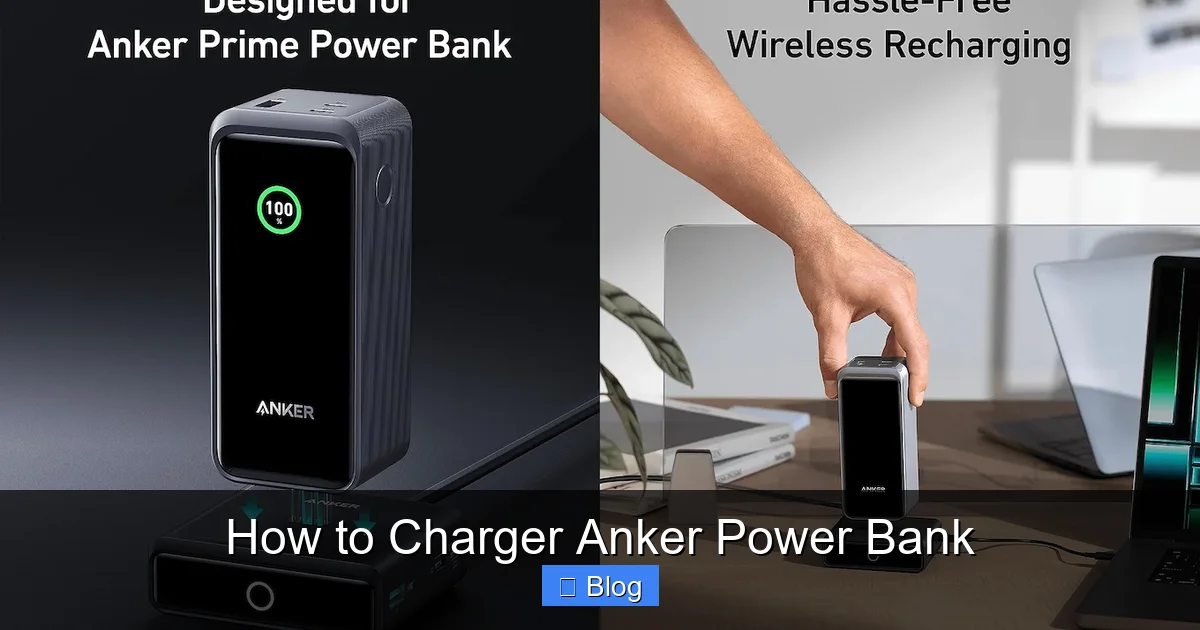
Most Anker banks have LED lights or a small digital display to show how much juice is left. Pay attention to these lights. If you notice a blinking pattern that doesn’t stop, it might be an error code. Check your manual or the Anker website to understand what that specific pattern means. Usually, it just means the bank needs to be reset or that there is a connection issue with your cable.
Troubleshooting Common Charging Issues
Even with the best gear, things sometimes go wrong. If you are struggling to charger Anker power bank devices, don’t panic. The fix is usually simple. Check your cables, check your adapter, and make sure the power port is clean. Many users find that a simple reset unplugging everything for thirty seconds fixes the problem instantly.
Port Cleaning Tips
Over time, dust and lint from your pockets can end up inside the USB-C or Lightning port of your power bank. This debris acts as a barrier to the pins that carry the power. Use a thin piece of plastic or a dry, soft-bristled brush to gently clean the inside of the port. Never use metal tools, as these can scratch or short out the delicate pins inside.
Testing Different Cables
If you suspect your bank isn’t charging, the first thing you should do is swap the cable. Cables are the most common point of failure. Try a different USB-C cable that you know works on another device. If the power bank starts charging, you know your old cable was the culprit. This saves you from thinking the bank is broken when it is perfectly fine.
Conclusion and Final Thoughts
Mastering how to charger Anker power bank units is a simple but rewarding process that keeps your digital life running smoothly. By choosing high-quality cables, selecting the right wall adapters, and being mindful of temperature, you ensure that your gear stays healthy for years to come. In 2026, having a reliable source of power is more important than ever, and with these tips, you are ready to stay charged no matter where your adventures take you.
Remember that Anker products are designed with durability in mind, but they still require a little bit of care from you. Treat your power bank well, and it will be there for you when you need it most. If you ever have specific questions about a certain model, the Anker support community is always a great place to check for specific firmware updates or troubleshooting steps.
Frequently Asked Questions
How do I know if my Anker power bank is charging?
Most Anker power banks have a row of LED lights or a digital screen that will blink or pulse when the device is receiving power. If the lights are solid or the screen shows the battery percentage increasing, your device is successfully charging.
Can I leave my Anker power bank plugged in overnight?
Yes, modern Anker power banks are equipped with safety chips that prevent overcharging once the battery reaches 100 percent. While it is safe to leave it plugged in, unplugging it once it is full is generally better for the long-term health of the battery cells.
Why is my power bank charging so slowly?
A slow charging speed is usually caused by using an underpowered wall adapter or a damaged charging cable. Ensure you are using a wall charger that meets the input wattage requirements of your specific power bank model.
Is it safe to use my power bank while it is charging?
While many Anker models support “pass-through” charging, it is generally better to charge the power bank separately to avoid generating excess heat. If you must use pass-through charging, make sure the unit stays in a well-ventilated area.
How often should I charge my power bank?
You should charge your power bank whenever you notice the capacity getting low. It is better for the battery’s lifespan to keep it topped up rather than waiting until it is completely dead to recharge it.
What if my power bank won’t charge at all?
If the device isn’t responding, try using a different wall adapter and a different cable first. If that doesn’t work, clean the charging port gently with a dry brush and try resetting the device by holding the power button for 10 seconds.