Does a Eufy C15 by Anker Use Magnetic Strips?
The short answer is no; the Eufy C15 by Anker does not use physical magnetic boundary strips. Instead, this modern vacuum leverages advanced laser-based digital mapping to manage where it goes, making physical barriers a thing of the past.
If you have been hunting for a reliable robot vacuum, you have likely come across the Eufy C15 by Anker. As we settle into 2026, home automation has reached a point where convenience is king.
One of the most common questions new owners have is whether they still need to clutter their hallways with those old-fashioned, sticky magnetic boundary strips. It is a fair concern nobody wants to peel black tape off their hardwood floors.
The good news is that the Eufy C15 was engineered with the modern home in mind. It moves away from the archaic physical boundary markers that defined the early days of robot vacuums. Instead, it embraces the power of software-defined boundaries. In this guide, we will dive deep into how the C15 navigates your home, why you can toss those magnetic strips into the recycling bin, and how you can master your vacuum’s intelligence.
Key Takeaways
- No Physical Strips Needed: The Eufy C15 relies on high-tech internal mapping rather than analog magnetic tape.
- Digital Precision: You can set “No-Go Zones” directly through the EufyHome app on your smartphone.
- Better Aesthetics: Removing the need for strips means your floors stay clear of unsightly black tape.
- Improved Navigation: LiDAR and optical sensors provide more accurate obstacle avoidance than older magnetic systems.
- Future-Proof Tech: The 2026 Eufy C15 model is designed for seamless integration with smart home ecosystems.
The Evolution of Robot Vacuum Boundaries
To understand why the Eufy C15 by Anker does not use magnetic strips, we have to look back at how robot vacuums used to “see” the world. Early models were essentially blind. They would bump into walls until they found a different direction.
To stop them from eating your expensive rug or getting stuck under a chaotic craft table, manufacturers gave us magnetic strips. You had to physically stick these black plastic ribbons to your floor to create a wall the vacuum could “feel” via an internal sensor.
From Physical Tape to Virtual Walls
As technology improved, companies realized that hardware solutions like tape were not ideal. They were ugly, they could be moved by pets, and they wore out over time. Enter the era of LiDAR and VSLAM navigation. By 2026, high-end vacuums like the Eufy C15 utilize complex sensors to build a 3D map of your room. Once the map is inside the app, the “magnetic strip” exists only as a piece of code.
Why the Eufy C15 Abandoned Magnetic Strips
The transition to digital boundaries isn’t just about looks. It is about precision. Physical strips are clumsy. They only allow for straight lines. With digital mapping, you can create intricate, custom shapes that perfectly hug the contours of your furniture. The Eufy C15 uses these digital buffers to ensure it never wanders where it shouldn’t, providing a much cleaner experience for your home’s interior design.
How the Eufy C15 Navigates Your Home?
The Eufy C15 is a powerhouse of sensors. It is not just driving around randomly; it is actively calculating distances, mapping obstacles, and remembering the layout of your space. This sophisticated navigation system is exactly why it does not need a magnetic strip to tell it where the kitchen ends and the living room begins.
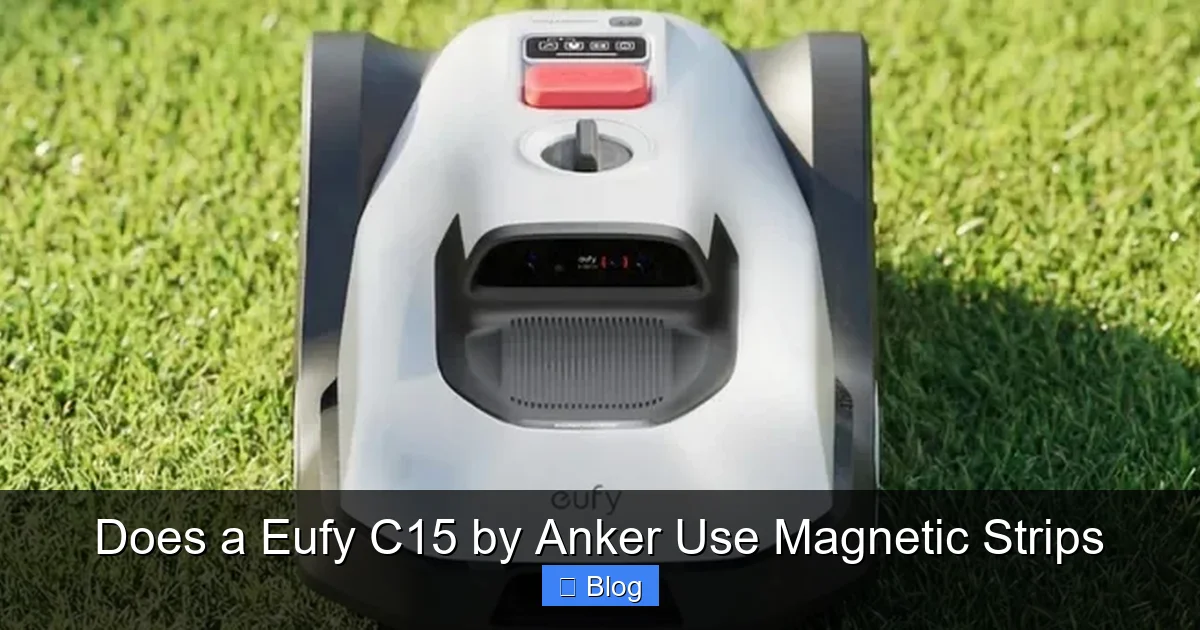
Visual guide about Does a Eufy C15 by Anker Use Magnetic Strips
Image source: immagini.trovaprezzi.it
LiDAR and Optical Sensor Arrays
At the heart of the C15 is a laser-scanning array. As it roams, it fires thousands of invisible light pulses every second. These pulses bounce off walls, chairs, and doors, allowing the vacuum to calculate the exact distance to every object. It then feeds this data into the processor to build a real-time floor plan. This map is then synced to the EufyHome app on your phone, giving you total control.
Intelligent Mapping Capabilities
Once the C15 completes its first “discovery run,” you will see a detailed layout of your home pop up in the app. You can label rooms, identify high-traffic areas, and most importantly draw your own boundaries. If you have a spot where your dog leaves his water bowl, you can simply draw a “No-Go Zone” on your screen. The vacuum will treat that virtual line like a concrete wall.
Setting Up Your Digital No-Go Zones
Setting up your boundaries is a breeze. Because the Eufy C15 by Anker uses advanced software, you won’t need to get down on your hands and knees to place tape. Follow these steps to keep your vacuum on track and out of trouble.
Step-by-Step App Integration
First, ensure your C15 is connected to your home Wi-Fi network. Open the EufyHome app and let the robot perform a full sweep of your floor. Once the map is generated, tap the “Map Management” button. You will see a “No-Go Zone” or “Virtual Wall” option. Select it, and then drag your finger across the area you want to block off. It is really that simple.
Managing Multiple Floors
One of the perks of the C15’s advanced 2026 software is its ability to remember multiple maps. You don’t need new magnetic strips for every floor of your house. Just carry the unit to the second floor, hit “Start,” and the vacuum will recognize the layout. You can then set up unique, floor-specific virtual barriers that stay saved in your account.
Troubleshooting Your Boundary Control
Even with advanced technology, sometimes a vacuum might struggle. If your Eufy C15 seems to be ignoring its digital boundaries, don’t panic. It is rarely a failure of the machine and almost always a simple fix related to your room environment.
The Impact of Lighting and Reflective Surfaces
While the C15 relies mostly on laser mapping, extreme lighting conditions or floor-to-ceiling mirrors can sometimes confuse the optical sensors. If the vacuum seems to be crossing into your “No-Go Zone,” check for massive reflective surfaces near that border. Sometimes moving a mirror or slightly adjusting the digital boundary by a few inches in the app is all it takes to solve the issue.
Keep the Sensors Clean
Think of the C15 like a car. It needs its windshield cleaned to see the road. Every few weeks, take a soft, dry cloth and gently wipe the sensor window on the top of the unit. Dust buildup is the number one reason robots start acting a little “lost” or drifting into off-limits areas. A clean sensor is a precise sensor.
Tips for Maximizing Your Eufy C15 Experience
Now that you know you don’t need magnetic strips, you have the freedom to optimize your vacuum for a better cleaning experience. Here are a few pro tips for 2026 users to get the most out of their C15 unit.
Establish Routine Schedules
Because you can set virtual boundaries, you can also set specific schedules for different zones. For example, have the C15 clean the kitchen every morning after breakfast, but keep it away from the playroom during the day when the kids have their toys everywhere. This level of granular control is something you could never achieve with old magnetic tape.
Use Voice Commands
The C15 integrates beautifully with modern voice assistants. If you notice a spill in a zone you previously marked as “off-limits,” you don’t need to go into the app to delete the boundary. Just use a simple voice command to have the robot spot-clean a specific area. It will navigate around its own virtual walls to get the job done and then return home safely.
Conclusion
To wrap things up, the Eufy C15 by Anker is a testament to how far home robotics has come. You can leave those clunky, dusty magnetic strips in the past. By leveraging smart LiDAR mapping and intuitive app controls, the C15 offers a seamless and powerful cleaning experience that respects your home’s layout without cluttering your floors.
If you have been worried about the “magnetic strip” requirement, rest easy your floors are safe, your robot is smarter than that, and your cleaning routine is about to get a whole lot easier.
Frequently Asked Questions
Does the Eufy C15 come with magnetic strips in the box?
No, the Eufy C15 does not include magnetic strips because it does not require them to function. It uses advanced laser mapping technology instead.
Can I still use magnetic strips if I want to?
The C15 is not designed to detect magnetic strips, so placing them on your floor will have no effect on the vacuum’s navigation. It is best to use the app to set digital boundaries.
What if my Eufy C15 gets stuck on an obstacle?
If the robot gets stuck, the app will send you a notification. You can then use the app to create a No-Go Zone around that specific area to prevent the issue from happening again.
Is the digital mapping accurate enough to stop the vacuum from falling down stairs?
Yes, the Eufy C15 is equipped with cliff sensors that automatically detect drop-offs like stairs. You do not need to set virtual walls near stairs to keep it safe.
Does the C15 work well in dark rooms?
Yes, because the C15 uses LiDAR (laser-based) navigation, it does not rely on ambient light to see. It can map and clean your home even in total darkness.
How do I update my boundary zones?
You can update, move, or delete your virtual No-Go Zones at any time through the EufyHome app. The changes are saved immediately and updated to the robot’s onboard memory.