Why Does My Tolife Air Purifier Keep Beeping? (Causes and Easy Fixes)
If your Tolife air purifier keeps beeping, it is almost always a safety alert or a maintenance reminder. Most modern units trigger these sounds to notify you about a clogged filter, a loose panel, or a power inconsistency. Follow our troubleshooting guide to silence the noise and restore your device to peak performance.
There is nothing quite as disruptive as the sound of a device beeping in the middle of a quiet evening. You have your Tolife air purifier set up to keep your home’s air fresh and clean, but instead, it starts chirping at you like a restless bird. If you are currently dealing with this, please know that you are not alone. By 2026, Tolife has become a household name, but even the best technology needs a little troubleshooting every now and then.
Most of the time, when your Tolife air purifier keeps beeping, it is not a sign that your device is broken. Instead, it is actually a very smart feature. These units are programmed to communicate with you when something isn’t quite right. Think of it like your car’s dashboard warning lights; it is simply the purifier’s way of saying, “Hey, I need a little help to keep doing my job correctly!”
Key Takeaways
- Filter Replacement: The most common reason for a beeping Tolife unit is a reached filter life limit that requires a manual reset.
- Safety Sensors: An improperly closed filter door or loose base plate will prevent the unit from starting and cause a persistent beep.
- Power Fluctuations: Inconsistent voltage or a damaged cord can cause the device to enter an error state, resulting in audio alerts.
- Dirty Air Sensors: Dust buildup on the internal laser sensor can confuse the unit, leading to continuous beep patterns.
- Manual Reset Procedures: Most Tolife models require a specific button-hold sequence to clear the beeping notification after maintenance.
The Filter Life Reminder
By far, the number one reason for that annoying beeping sound is the filter replacement reminder. Your Tolife air purifier tracks the usage time of your filter. Even if the air in your room looks clear, the internal timer knows exactly how many hours that filter has been working. Once it hits the pre-programmed limit, usually around 2,000 to 3,000 hours, the unit will start beeping to let you know it is time for a refresh.
How to Identify a Filter Alert
Typically, when it is time to change the filter, you will see a small light icon on the control panel flashing in tandem with the beeping sound. If your unit has an “Air Quality” indicator light, it might also turn red or yellow. This is a clear indicator that the system wants a new HEPA or carbon filter installed to keep the airflow efficient.
How to Stop the Sound
Replacing the filter is only half the battle. If you swap the old filter for a new one but forget to tell the machine you did so, it will keep beeping. To fix this, look for the “Filter” or “Reset” button on your control panel. You will usually need to press and hold this button for three to five seconds until you hear a confirmation chime. Once the light stops flashing, the beeping will cease, and your purifier will be ready for another few months of operation.
Safety Mechanism Triggers
If your Tolife air purifier keeps beeping and the unit refuses to turn on, you are likely dealing with a safety sensor issue. Tolife engineers prioritize safety, so they have included micro-switches inside the machine. These switches act like a guard; if the casing or filter door isn’t perfectly sealed, the machine cuts power to the motor and triggers an audible alarm.
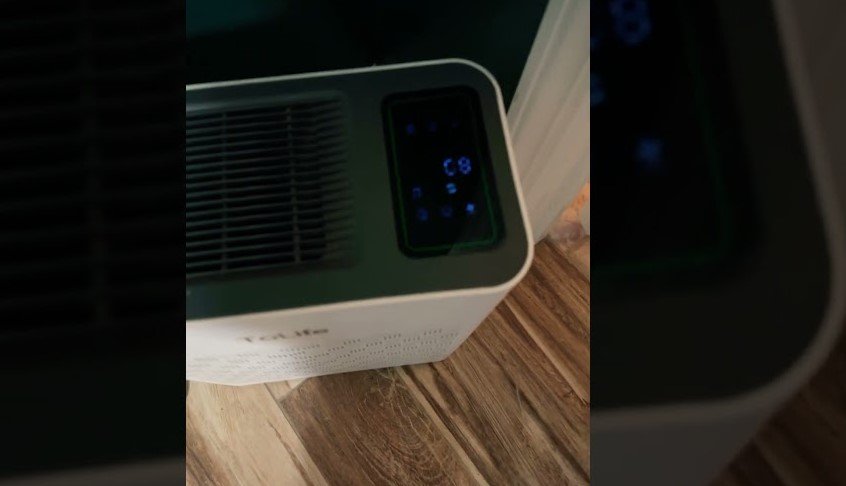
Visual guide about Why Does My Tolife Air Purifier Keep Beeping
Image source: i.ytimg.com
Checking the Filter Door
It is surprisingly common for the back or bottom panel to be slightly misaligned. This often happens after you have cleaned the pre-filter or changed the main cartridge. Even a tiny gap of a millimeter can prevent the safety switch from engaging. Try opening the filter access panel, checking for any debris blocking the door, and then pressing it firmly back into place. You should hear a soft “click” as the latches secure the door.
Inspect the Base Plate
Some Tolife models require you to flip the unit over to access the filter. If the base plate is not locked into the correct position, the device will assume it is being tampered with. Double-check that all locking tabs are turned to the “locked” position. If the unit continues to beep, remove the base plate once more, inspect the door sensor, and reseat it carefully.
Sensor Calibration and Dust Issues
Modern air purifiers are equipped with highly sensitive laser air quality sensors. These sensors detect particles in the air and adjust the fan speed automatically. If your Tolife air purifier keeps beeping, it might be confused by a buildup of dust right on the sensor window. When the sensor gets clogged with dust, it may read an error, which the control board interprets as an alert condition.
Cleaning Your Sensor
You can usually find the sensor port on the side or back of the unit, often hidden behind a small removable plastic cover. If you notice it looks dusty, use a dry cotton swab to gently wipe the lens. Never use water or household cleaners directly on the sensor, as this can cause permanent damage. A clean, dry Q-tip is usually all it takes to get the sensor back to peak accuracy.
Understanding Error Codes
If you see a specific error code flashing on the LED display while the unit beeps, consult your user manual for the specific definition of that code. Sometimes, a “sensor error” is just the machine telling you it cannot see the air quality clearly. By cleaning the sensor area, you allow the light to pass through, which solves the communication problem between the internal computer and the air quality monitor.
Power Supply and Electrical Issues
Sometimes, the problem is not with the unit itself, but with how it receives electricity. If your Tolife air purifier keeps beeping sporadically, it might be experiencing a power surge or a loose connection. Air purifiers draw a consistent amount of power, and any fluctuation can cause the internal circuit board to panic and beep as it resets.
Avoiding Extension Cords
We always recommend plugging your air purifier directly into a wall outlet. Using long extension cords or daisy-chained power strips can lead to voltage drops. If the voltage isn’t steady, the motor might struggle, and the control panel might flash an error signal. If you must use a surge protector, ensure it is a high-quality unit capable of handling the power draw of an air purifier.
Checking for Damaged Cords
Inspect the power cord for any visible signs of damage, such as fraying or deep bends. If you have pets that chew on cords, this could be the source of your connectivity problem. If the cord feels loose at the connection point on the device, try unplugging it, waiting for 60 seconds for the internal capacitors to discharge, and then plugging it firmly back into the wall.
Soft Resets and Troubleshooting Tips
When you have tried the basic steps and the beeping persists, it is time for a “soft reset.” Think of this as rebooting your computer. By completely draining the residual electricity from the device, you clear the temporary memory that might be holding onto a false error code.
The Hard Power Cycle
Unplug the power cord from the wall outlet completely. While the unit is unplugged, press and hold the power button for 10 seconds. This helps discharge any lingering energy in the control board. Leave the unit unplugged for at least five to ten minutes. When you plug it back in, the unit should start up cleanly without the persistent beeping. If the beeping returns, it may be an indication of a hardware fault that requires professional service.
The “Ghost Beeping” Phenomenon
If you hear a short, intermittent beep that sounds like a button press, double-check your touch control panel. In humid environments, moisture can sometimes settle on the touch-sensitive glass, which the purifier interprets as a finger press. Give the control panel a quick wipe with a dry, microfiber cloth to ensure there is no grime or moisture causing phantom inputs.
Conclusion
Understanding why your Tolife air purifier keeps beeping is the first step toward getting your home’s air back to that crisp, clean standard you expect. Whether it is a simple filter replacement, a loose door panel, or a bit of dust on the sensor, these issues are almost always easily solvable without needing to call a professional technician.
Remember that your air purifier is a hardworking companion in your home. By keeping the sensors clean and replacing your filters on schedule, you ensure that the machine can keep running smoothly for years to come. If you have tried all the steps above and your device continues to beep, do not hesitate to contact Tolife customer support. They can help you determine if you have a faulty component that needs a warranty replacement. Stay breathing easy and keep that air fresh!
Frequently Asked Questions
Why does my Tolife purifier beep after I replaced the filter?
The device doesn’t automatically know you changed the filter. You must perform a manual reset by pressing and holding the “Filter” button for about five seconds until the warning light stops flashing.
Can a dirty sensor cause the unit to beep?
Yes, if the air quality sensor is covered in dust, the machine may report a sensor error which can trigger an audible alert. Gently cleaning the sensor port with a dry cotton swab usually fixes this.
Is the beeping a sign that the motor is failing?
Rarely, as beeping is usually reserved for logic-based alerts like filter life or safety switches. If you hear grinding noises alongside the beeping, that would be a different issue, but simple beeps are almost always about user maintenance.
How often should I clean the sensors?
For best results, you should wipe the dust off the external sensor port every time you vacuum the pre-filter, typically once every month. This keeps the auto-mode functionality accurate and prevents false alerts.
Can I disable the beeping sound entirely?
Most Tolife models do not allow you to disable the safety alerts, as they are essential for your protection. However, you can check your specific model’s manual to see if it features a “Night Mode” that silences all button chimes and indicator lights.
What if the unit still beeps after a hard reset?
If you have reset the filter, checked the door panels, and performed a hard power cycle without success, you may have a faulty motherboard. In this case, contact the manufacturer’s support team for a potential warranty claim.