
How to Pair Anker Soundcore Earbuds? Step-by-Step Guide for 2026
Pairing your Anker Soundcore earbuds is a simple process that typically takes less than a minute. By following the standard Bluetooth discovery mode steps, you can enjoy high-quality audio on any device.
Getting your hands on a new pair of Anker Soundcore earbuds is an exciting experience. Whether you just picked up the latest Liberty series or a reliable set of Life P-series buds, you are likely eager to dive into your favorite music. We have all been there, staring at a flashing light, wondering why the phone is not seeing the device. Do not worry; you are definitely not alone in this.
In this guide, we will walk through the steps on how to pair Anker Soundcore earbuds with ease. By the time you finish reading, you will be a pro at managing your Bluetooth connections. Whether you are using an iPhone, an Android tablet, or even a laptop, the process is designed to be user-friendly. Let’s get those tunes playing right now.
Key Takeaways
- Preparation: Always ensure your Soundcore earbuds are fully charged before beginning the pairing process to avoid connectivity drops.
- Discovery Mode: Most Anker earbuds enter pairing mode automatically when taken out of the case for the first time.
- Manual Reset: If you face connection issues, resetting the earbuds is the most effective way to clear old pairing data.
- Multi-Point Connection: Many modern 2026 Soundcore models allow you to stay connected to two devices simultaneously for better workflow.
- App Integration: Using the official Soundcore app allows for easier firmware updates and customized touch controls after pairing.
- Troubleshooting: Always turn off Bluetooth on nearby devices if you are struggling to initiate a new connection.
Understanding the Basics of Pairing
Before we dive into the specific buttons and settings, it helps to understand what “pairing” actually means. Pairing is essentially a digital handshake between your earbuds and your phone. When you put your earbuds into pairing mode, they broadcast a signal that says, “Hey, I am here and ready to connect!”
What is Pairing Mode?
Pairing mode is the temporary state where your earbuds are actively looking for a new device to talk to. Most of the time, your Anker Soundcore earbuds will enter this state automatically the first time you take them out of the charging case. If they do not, you can manually trigger this by holding down a button or using the touch sensors on the buds themselves.
Checking Your Battery Levels
One of the most common reasons pairing fails is a lack of power. If your earbuds have been sitting in the box for a while, they might have lost their charge. Before you start the process, make sure both buds and the case have a decent amount of juice. A quick 15-minute charge can often make the difference between a frustrating afternoon and a smooth setup process.
Step-by-Step Guide for Smartphones
Most of us use our smartphones as our primary audio source. Whether you are an Android fan or a devoted iPhone user, the steps for how to pair Anker Soundcore earbuds remain largely the same across the board. Follow these steps to get connected in no time.

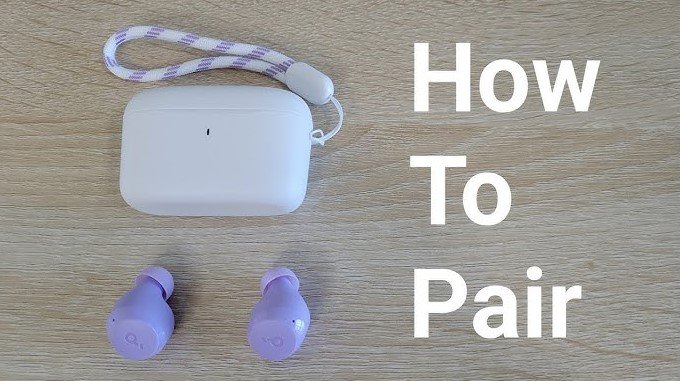
Visual guide about How to Pair Anker Soundcore Earbuds
Image source: k2digitizers.com
Initiating the Connection
First, open the Bluetooth menu on your phone. You can find this in your Settings app. Make sure Bluetooth is toggled to the “On” position. Now, take your Anker Soundcore earbuds out of the charging case. Most models will blink white, indicating they are in discovery mode. If they do not blink, check your manual, as some models require you to hold the buttons on the earbuds for three seconds.
Selecting the Device
Look at your phone’s screen under the “Available Devices” list. You should see a name that corresponds to your specific Soundcore model—for example, “Soundcore Liberty 4” or “Soundcore Life P3.” Tap that name. A prompt might appear asking for permission to pair. Tap “Pair” or “Yes,” and you are all set. You will often hear a chime in your ears confirming the connection.
Pairing with Computers and Laptops
In 2026, many of us spend our days moving between our phones and our computers. Pairing your earbuds to a laptop is a great way to handle video calls or enjoy background music while you work. The process is similar to a phone but with a slightly different menu layout.
Windows Setup
On a Windows PC, click the Start button and open Settings. Head over to “Bluetooth & devices.” Click on “Add device” and select “Bluetooth.” Your computer will start scanning. Once your Anker Soundcore earbuds appear, click on them to finalize the connection. If you have been using the earbuds with your phone, remember to turn off Bluetooth on your phone first so the computer can find them easily.
macOS Integration
For Mac users, click the Apple menu and go to System Settings. Select Bluetooth. Make sure your earbuds are in pairing mode by placing them in the case, waiting a moment, and taking them out again. When “Soundcore” pops up on your Mac screen, click “Connect.” Your Mac is smart enough to remember these settings for the next time you use them.
Troubleshooting Common Connection Issues
Even with the best tech, things can go wrong. If your earbuds are not showing up on your device list, do not panic. Most connectivity issues are solved with a few quick tricks that reset the communication link between your devices.
How to Perform a Factory Reset
If you are experiencing sound dropouts or one earbud won’t connect, a factory reset is your best friend. To do this, place both earbuds back into the charging case and leave the lid open. Look for a small button on the case or specific touch areas on the buds. Hold the button or touch surfaces for about 10 seconds until the LED indicators flash red or white. This wipes the old connection data and gives you a fresh start.
Dealing with Interference
Bluetooth works on specific radio frequencies. Sometimes, other devices like Wi-Fi routers or microwaves can cause interference. If you are having trouble pairing, try moving to a different room away from heavy electronic equipment. Keeping your phone or laptop close to the earbuds during the initial setup also helps build a strong, reliable connection.
Advanced Features and Multi-Point Connection
Many modern Anker Soundcore earbuds support multi-point connection. This is a game-changer for 2026. It allows your earbuds to stay connected to your phone and your laptop at the exact same time. You can listen to music on your laptop and instantly switch to a phone call when it rings, without manually disconnecting anything.
Configuring Multi-Point via the App
To use this feature, download the official Soundcore app. After you pair your earbuds to your first device, open the app, go to settings, and enable “Dual Connection” or “Multi-Point.” Once enabled, simply put your earbuds back into pairing mode and connect them to your second device. The app manages the transition, so you don’t have to fiddle with settings ever again.
Updating Your Firmware
Anker frequently releases updates to improve stability and sound quality. When you pair your earbuds for the first time, take a moment to check for firmware updates in the Soundcore app. These updates can sometimes fix pesky pairing bugs that you didn’t even know existed. Think of it as giving your earbuds a quick software tune-up.
Maximizing Your Soundcore Experience
Once you have mastered how to pair Anker Soundcore earbuds, it is time to enjoy them. Don’t just settle for the default sound. The Soundcore app is packed with features like customizable EQ, noise cancellation modes, and personalized touch controls.
Customizing Touch Controls
Do you prefer double-tapping to skip a track or long-pressing for voice assistance? You can customize these actions in the app. Making these changes ensures that your earbuds feel like an extension of your own habits. It is these small personalizations that turn a good listening experience into a great one.
Maintaining Your Connection
To keep your connection stable, try to keep your firmware updated and clean the charging contacts on your earbuds and case. Dirt or earwax buildup on the charging pins can prevent the buds from charging properly, which occasionally interrupts the pairing process. A quick wipe with a dry cloth once a week goes a long way in keeping your tech in top shape.
Pairing your Anker Soundcore earbuds should be a seamless part of your daily routine. By understanding the basics of discovery mode and knowing how to troubleshoot, you can spend less time struggling with settings and more time enjoying your favorite audio. Whether you are upgrading your workspace or leveling up your commute, these earbuds are built to keep you connected. Enjoy the freedom of wireless sound!
Frequently Asked Questions
Why won’t my Anker Soundcore earbuds enter pairing mode?
If your earbuds won’t enter pairing mode, ensure they are fully charged and that they are not currently connected to another nearby device. You may need to perform a factory reset by holding the buttons on the charging case for 10 seconds to clear previous connections.
Can I pair my earbuds to two devices at once?
Yes, many modern Anker Soundcore models support multi-point connection. You can enable this feature through the official Soundcore app, allowing you to switch seamlessly between your phone and laptop.
How do I reset my Soundcore earbuds?
To reset, place the earbuds in the charging case with the lid open. Locate the reset button on the case or hold the touch controls on both earbuds for 10 seconds until the lights flash, indicating that the device has been reset to factory settings.
Do I need the Soundcore app to pair the earbuds?
You do not need the app for basic Bluetooth pairing; your device’s settings menu works perfectly fine. However, we highly recommend the app for updating firmware, customizing touch controls, and managing multi-point connections.
Why is there no sound coming from one earbud?
This often happens if the earbuds have become desynchronized. Try putting both back in the case, resetting them, and pairing them again to ensure they are communicating correctly as a pair.
How far away can I be from my phone while paired?
Most Anker Soundcore earbuds have a stable Bluetooth range of about 30 feet (10 meters). Walls and other electronic interference can reduce this distance, so keep your source device nearby for the best results.