How to Set Up Levoit Air Purifier? (Simple Tips & tricks)
Setting up your new Levoit air purifier is a simple process that ensures your home air remains clean and healthy. By following these easy steps, from unboxing to app connectivity, you will have your device running at peak performance in just a few minutes.
Welcome to your journey toward fresher, cleaner indoor air! If you have just brought home a new Levoit air purifier, you are likely excited to get it running. While these machines are incredibly powerful, they are also designed with the user in mind, making them very easy to set up. Whether you are dealing with seasonal allergies, pet dander, or just want a fresher living space, knowing exactly how to set up Levoit air purifier hardware correctly is the first step to success.
In this guide, we will walk you through the entire process. From the moment you open the box to connecting your unit to your home Wi-Fi, we have you covered. We know that technology can sometimes feel overwhelming, but we are here to break it down into simple, manageable steps that anyone can follow. Let’s get your device ready to transform the air quality in your home.
Key Takeaways
- Preparation: Always remove the plastic packaging from the internal filter before turning on your device.
- Placement: Position your unit at least 15 inches away from walls and furniture for optimal airflow.
- Connectivity: Use the VeSync app to unlock smart features like scheduling and remote air quality monitoring.
- Maintenance: Clean your pre-filter every 2 to 4 weeks to extend the lifespan of your HEPA filter.
- Safety: Only operate your air purifier on a flat, stable surface to prevent vibration and motor strain.
Step 1: The Unboxing and Filter Preparation
The most common mistake people make when they learn how to set up Levoit air purifier units is forgetting to remove the plastic bag from the filter. Inside the box, your device will arrive with the filter already installed, but it is wrapped in protective plastic to keep it pristine during shipping. If you turn on the machine without removing this, air cannot flow through the filter, which might damage the motor.
Opening the Filter Cover
Start by flipping your unit upside down or opening the back access panel, depending on your specific model. You will see a circular or rectangular base cover. Twist it counter-clockwise to unlock it. Once the cover is off, pull the filter out. You will notice it is sealed in a clear plastic bag. Remove the plastic completely and discard it. Place the filter back into the main housing, ensuring it is seated correctly and firmly. Then, reattach the base cover by twisting it clockwise until you hear a click.
Why Filter Maintenance Matters
Proper filter installation is the foundation of air purification. When you learn how to set up Levoit air purifier systems, you must remember that the filter is the heart of the machine. If it is not placed correctly, dust and pollutants will bypass the filtration media, defeating the purpose of the device. Always ensure that the filter is oriented in the direction indicated by the arrows on the filter itself.
Step 2: Finding the Perfect Placement
Location is everything when it comes to air quality. You might think that tucking the unit in a corner or hiding it behind a sofa is a great idea for interior design, but this can actually reduce the effectiveness of the purifier. To get the best results, you need to allow for proper air circulation.

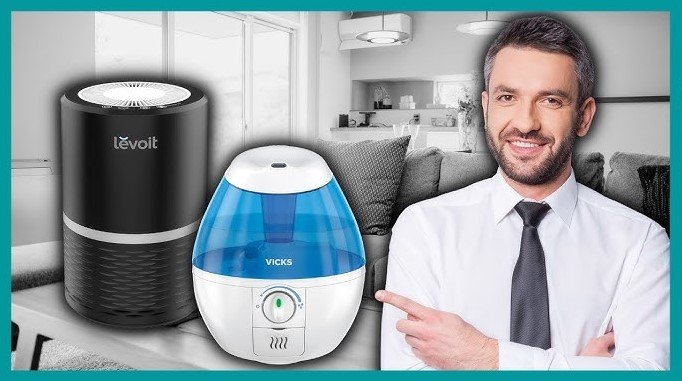
Visual guide about How to Set Up Levoit Air Purifier
Image source: i.ytimg.com
The 15-Inch Rule
We recommend placing your unit at least 15 inches (about 38 centimeters) away from walls, furniture, or curtains. Air purifiers work by pulling air in and pushing clean air out. If you block the intake vents with a wall or heavy curtains, the machine has to work much harder to pull air in, which creates unnecessary noise and uses more electricity. Aim for an open space in your living room or bedroom where air can move freely.
Avoiding Obstructions
Another tip for those wondering how to set up Levoit air purifier placement: keep the unit away from windows and doors that are frequently opened. If the purifier is sitting right next to an open window, it will constantly try to filter the air coming in from the outside, which is usually quite dusty. Instead, place it toward the center of the room to cycle the indoor air multiple times per hour.
Step 3: Powering Up and Initial Testing
Once you have the filter installed and the unit placed in a good spot, it is time to turn it on. Connect the power cord to a standard wall outlet. Ensure that the cord is not pinched or placed under heavy objects. When you first press the power button, the light ring or display screen should illuminate. This confirms that the unit is receiving power and is ready to function.
Understanding the Control Panel
Most modern units feature an intuitive touch display. Take a moment to familiarize yourself with the buttons. You will typically see a fan speed icon, a sleep mode button, and a timer. When you learn how to set up Levoit air purifier settings, try starting on the lowest fan speed. This allows you to check if the unit is running smoothly and quietly. If you notice any strange clicking or grinding sounds, turn it off immediately and re-check the filter seating.
Using Sleep Mode
One of the best features of these purifiers is the sleep mode. This lowers the fan speed to the absolute minimum and turns off all display lights. If you are setting this up in your bedroom, test the sleep mode during the day to ensure you are comfortable with the noise level before you go to bed.
Step 4: Connecting to the VeSync App
Many Levoit models are “smart,” meaning they can be controlled via your smartphone. The VeSync app is your command center for your home environment. Knowing how to set up Levoit air purifier smart features is essential for those who want to track air quality levels while they are at work or on vacation.
Downloading the App
Search for “VeSync” in the Apple App Store or Google Play Store. Download and install the app, then create an account. Once logged in, click the “+” icon to add a new device. Make sure your smartphone’s Bluetooth and Wi-Fi are turned on. The app will automatically scan for your purifier. If it doesn’t find it, ensure you are holding the power button on the unit for several seconds to put it into pairing mode.
Remote Monitoring Benefits
Once connected, you can set schedules, create “scenes,” and see real-time data on your air quality. For instance, you can program your unit to turn on at high speed an hour before you get home, ensuring that you walk into a fresh, clean environment every single day. This is a game-changer for busy professionals.
Step 5: Regular Maintenance and Filter Care
Your setup is not just about the first day; it is about keeping the machine happy for months to come. If you know how to set up Levoit air purifier maintenance, you will save money on replacements and keep your unit running efficiently. The most important maintenance task is cleaning the pre-filter.
The Pre-Filter Cleaning Routine
The pre-filter is the outer layer of the filter assembly. It catches large particles like hair, dust bunnies, and pet fur. Every 2 to 4 weeks, take the filter out and gently vacuum the exterior or use a soft brush to remove the debris. Do not wash the HEPA filter with water, as this will destroy its ability to capture small particles. By cleaning the pre-filter regularly, you prevent the main HEPA filter from clogging, which keeps the airflow strong.
When to Replace Filters
Even with good care, filters have a lifespan, usually between 6 to 8 months. The VeSync app will notify you when it is time to replace the filter. Do not ignore these alerts. Using an old, clogged filter makes the machine work harder, which can lead to motor burnout and, more importantly, a drop in your indoor air quality.
Conclusion
You now have all the knowledge needed to set up your Levoit air purifier like a pro. By removing the plastic from the filter, placing the unit in a well-ventilated spot, and connecting it to your smart home ecosystem, you have taken a massive step toward better health. Remember, consistency is the key to reaping the benefits of clean air.
Maintaining your machine is just as important as the initial setup. Keep your unit clean, replace the filters when requested, and enjoy the peace of mind that comes with knowing the air in your home is being purified by top-tier technology. If you ever have trouble, remember that the VeSync app and the official Levoit support channels are there to help you every step of the way. Enjoy the fresh air!
Frequently Asked Questions
How do I know if my Levoit air purifier is working correctly?
You can check the air quality sensor reading on the display or within the app to see if it is detecting particles. Additionally, ensure there is a noticeable airflow coming from the top of the unit when it is running on higher settings.
Can I leave my Levoit air purifier on 24/7?
Yes, Levoit air purifiers are designed for continuous operation and are very energy-efficient. Running them constantly ensures that your home air quality remains consistent throughout the day and night.
Why is the air quality light turning red?
A red light indicates that the sensor is detecting a high level of pollutants in the air, such as smoke, dust, or cooking odors. The purifier will automatically increase the fan speed to clean the air until the levels drop to a safe range.
How often should I clean the external sensor?
It is recommended to clean the air quality sensor with a soft cotton swab once every two months. Dust buildup inside the sensor cover can cause inaccurate readings, so keeping it clean ensures precise performance.
Does the unit require a specific type of Wi-Fi connection?
Most Levoit smart purifiers operate best on a 2.4GHz Wi-Fi network. If you have a dual-band router, make sure your phone is connected to the 2.4GHz band during the initial setup process.
Can I wash the main HEPA filter?
No, you should never wash the HEPA filter with water or soap. Doing so will permanently damage the delicate filtration fibers and render the filter useless; only the pre-filter can be lightly brushed or vacuumed.