

Why Is My Anker Charger Blinking? When to Replace Your Charger?
If your Anker charger is blinking, it usually indicates a minor connection error, a protective power cutoff, or an incompatible cable. Most of the time, you can fix the issue by simply unplugging the device, checking your cables, and restarting the connection to get your power flowing again.
We have all been there. You get home after a long day, plug your phone into your trusty Anker charger, and expect that satisfying chime. Instead, you see a strange, rhythmic blinking light coming from the charger or the power brick itself.
It feels like your charger is trying to send you a secret code, and honestly, it is more than a little frustrating. In 2026, technology is smarter than ever, and that includes your power adapters. Anker chargers are designed with high-end safety protocols that monitor voltage, temperature, and current flow.
When something isn’t quite right, the device doesn’t just “break” – it communicates through status lights. Understanding why is my Anker charger blinking is the first step to getting your gadgets back to 100% battery life without needing to buy a brand-new charger.
Key Takeaways
- Connection Issues: A blinking light often means the charger is struggling to establish a stable handshake with your device.
- Cable Compatibility: Using a damaged, low-quality, or non-PD certified cable is the most common cause of flashing status lights.
- Overheat Protection: Anker chargers have built-in safety sensors that blink when the internal temperature gets too high, pausing power to prevent damage.
- Resetting the Charger: Performing a simple hard reset by leaving the charger unplugged for five minutes often clears temporary logic errors.
- Device Incompatibility: Sometimes the device you are charging draws more or less power than the charger is programmed to safely deliver.
- When to Replace: If the charger continues to blink after testing multiple devices and cables, it may be a sign of internal hardware failure.
Understanding the Language of Status Lights
Anker chargers use LED indicators to tell you exactly what is happening behind the scenes. If you are asking yourself, why is my Anker charger blinking, the first thing to notice is the color and the pattern of the light. Is it a steady pulse? A rapid strobe? Or perhaps a solid light that won’t turn off?
The Steady Slow Blink
A slow, steady pulse usually means the charger is in standby mode or is trying to negotiate a power delivery handshake with your phone or laptop. It is essentially the device saying, “I see you, but I am still figuring out how much power you need.” This often resolves itself within a few seconds as the charger and your device “talk” to each other.
The Rapid Flashing Light
If your Anker charger is blinking rapidly, this is often an error signal. It usually points to a communication breakdown between the charger and the cable, or the cable and the phone.
Think of this as the “warning” light on a car dashboard. It means the safety circuit has been triggered, and it is holding off on sending full power to avoid a potential short circuit.
The Most Common Culprit: Your Cables
When someone asks, why is my Anker charger blinking, my first question is always: “Are you using the original cable?” We tend to hoard charging cables, throwing them into drawers and bags where they get bent, twisted, and frayed. A damaged cable is the number one reason for charging errors.
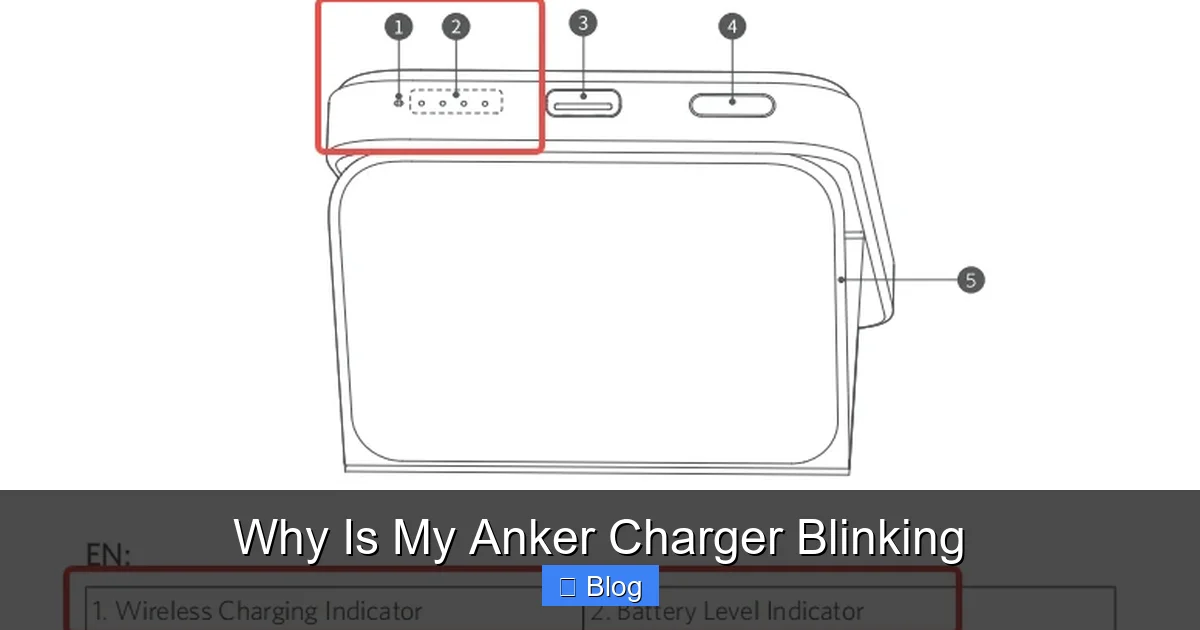
Visual guide about Why Is My Anker Charger Blinking
Image source: lh3.googleusercontent.com
Testing for Cable Integrity
Internal wires can break even if the outside of the cable looks perfect. If the data pins or the power delivery lines inside the cable are compromised, the charger will detect a resistance fluctuation. It will start blinking because it cannot maintain a stable connection.
Try swapping your cable for a known good one. If the blinking stops, you have found your problem. It is time to retire that old, frayed cable and upgrade to a newer, high-quality braided cable that can handle the fast-charging speeds of 2026 devices.
Thermal Safety and Protection Modes
Anker is famous for its MultiProtect technology. This is a suite of safety features, including temperature control, surge protection, and short-circuit prevention. When you find yourself wondering why is my Anker charger blinking, it might just be the device protecting itself from heat.
Why Heat Matters
If you are fast-charging a laptop or a high-performance phone while the room is warm, the charger brick can get quite hot. If it crosses a certain temperature threshold, the charger will blink and temporarily drop the power output.
This is a feature, not a bug! It prevents the internal components from melting or catching fire. Simply unplug the charger, let it cool down in a well-ventilated area for ten minutes, and try again.
Power Negotiation Issues
Modern chargers are essentially small computers. They don’t just dump electricity into your device; they negotiate. Through a protocol called Power Delivery (PD), your Anker charger determines if your phone wants 5W, 18W, 45W, or more. Occasionally, this digital conversation hits a snag.
Compatibility Glitches
Sometimes, the software in your phone and the firmware in the charger get out of sync. This is particularly common if you are using an older charger with a very new, high-tech device.
When this happens, the Anker charger might blink as it repeatedly attempts to re-initiate the connection. Performing a hard reset of your device or even unplugging the charger from the wall for five minutes can clear these temporary logic errors and get everything back to normal.
When to Replace Your Charger?
While most of the reasons why is my Anker charger blinking are harmless and easily fixed, there are times when it simply means the hardware has reached the end of its life. If you have tried a new cable, moved to a different wall outlet, and let the device cool down, yet the light still flashes, you might have a hardware fault.
Signs of Internal Damage
Listen closely to the charger. Is there a faint buzzing or clicking sound alongside the blinking? That is a bad sign. It suggests an internal transformer or capacitor is failing.
If your charger has been dropped, stepped on, or exposed to liquid, the blinking is likely a symptom of permanent internal damage. In this case, for your safety and the safety of your expensive devices, it is time to recycle that charger and pick up a new one.
Practical Tips for Longevity
To avoid future moments of panic, treat your chargers with care. Even though they are durable, they are still electronic devices. Here are a few ways to keep your setup running smoothly in 2026:
- Use Surge Protectors: A high-quality power strip can save your charger from the spikes that cause internal damage.
- Store Cables Properly: Don’t wrap cables tightly around the brick; this puts stress on the joints and causes internal wire breakage.
- Check the Port: Use a wooden toothpick to gently clean any lint or pocket debris out of your charging port. This is a frequent cause of connection issues that look like charger errors.
Ultimately, knowing why is my Anker charger blinking gives you the power to troubleshoot effectively. Whether it is a simple cable swap or a quick cool-down session, you now know that those blinking lights are actually your charger working hard to keep your devices safe. Stay calm, check your connections, and you will be back to full power in no time.
Frequently Asked Questions
Why is my Anker charger blinking after I plugged it into a power strip?
Sometimes power strips provide unstable voltage, which can cause the charger to blink as it tries to regulate the flow. Try plugging the charger directly into a wall outlet to see if the blinking persists.
Is it safe to keep using my charger if it blinks occasionally?
If it only blinks once when you first connect it, that is often just the initial handshake process. However, if it blinks constantly while connected, you should stop using it immediately to prevent damaging your device.
Does a blinking Anker charger mean my phone is broken?
Not necessarily, but it is a possibility. To rule out your phone, try charging a different device with the same cable and charger; if the second device charges normally, your phone port may need cleaning or repair.
Can dust in the wall outlet cause an Anker charger to blink?
While rare, a poor connection between the charger prongs and the outlet can cause intermittent power, leading to a blinking light. Ensure the prongs are clean and fully seated in the socket.
What color should the light be on a normal Anker charger?
Most Anker chargers use a solid blue or white light to indicate active power. If your charger usually glows solid and starts blinking, it is definitely signaling an issue that needs your attention.
Should I perform a factory reset on the charger?
You cannot “factory reset” a charger in the software sense, but you can “power cycle” it. Simply unplug it from both the wall and your device for ten minutes to drain any remaining charge, which often resets the internal safety chips.