How to Turn Off Anker Power Bank? Maintaining Anker Power Bank in 2026
Most Anker power banks do not have a dedicated “off” button because they are designed to shut down automatically when no device is detected. This smart technology ensures you conserve battery life without needing to manually manage the power flow. Simply unplug your cables, and your charger will enter sleep mode within seconds.
We have all been there. You finish charging your phone, unplug the cord, and then stare at your power bank wondering, “Wait, is this thing still on?” It is a common concern in 2026, especially as we rely more on our portable chargers to keep our lives running. If you are an Anker user, you might have spent time hunting for a power switch that simply isn’t there. You are not missing anything – it is actually by design.
Understanding how your technology functions is the first step toward getting the most out of it. Anker has built their reputation on being reliable and user-friendly. By removing the need for an “off” switch, they have made the process of charging your devices as seamless as possible. In this guide, we will look at how your power bank manages energy and how you can ensure it stays off when you aren’t using it.
Key Takeaways
- Automatic Shutdown: Almost all Anker models use sensors to detect when a device is fully charged or unplugged.
- Cable Removal: The most effective way to turn off an Anker power bank is to physically disconnect the charging cable.
- Trickle Charging Mode: Be aware that some models have a specialized mode that stays on longer for low-power devices.
- Power Button Functions: While the button doesn’t act as a hard power-off switch, it serves as a battery status indicator.
- Energy Efficiency: Anker’s modern hardware is built to minimize “standby drain” when not in active use.
- Maintenance Tips: Keeping your unit in a cool, dry place helps maintain the internal battery health long-term.
Why Anker Power Banks Lack a Hard Power Switch?
When you first buy an Anker device, it is natural to look for a physical switch. However, modern lithium-ion portable chargers utilize smart circuitry. This design choice is intentional and centers on the concept of user convenience and component longevity.
The Logic of Automatic Detection
Anker power banks use a feature often called “Auto-Detection” or “Load Detection.” When you plug a device in, the power bank senses a draw of current and immediately sends electricity to your phone or tablet. When you unplug that device, the internal sensor notices the drop in resistance. Within a matter of seconds, the power bank cuts its own power supply to the ports to save energy.
This design eliminates “human error.” You never have to worry about forgetting to turn it off and coming back to a dead battery later. The hardware handles the shutdown process for you, which is arguably more reliable than relying on a button that might accidentally get pressed in your bag.
Conserving Battery Life
By automating the power-off sequence, Anker ensures that the idle drain on the unit is virtually zero. While every electronic device has a tiny amount of self-discharge, Anker’s sophisticated internal management keeps your power bank ready for use even if it has been sitting in your backpack for weeks. You don’t need a manual “off” switch because the device is already operating in its most efficient state.
How to Properly Shut Down Your Unit?
Since there is no switch, your primary method of control is the cable itself. If you want to stop the flow of power, the action is simple. The simplicity of the process is part of why these devices are so popular in 2026.
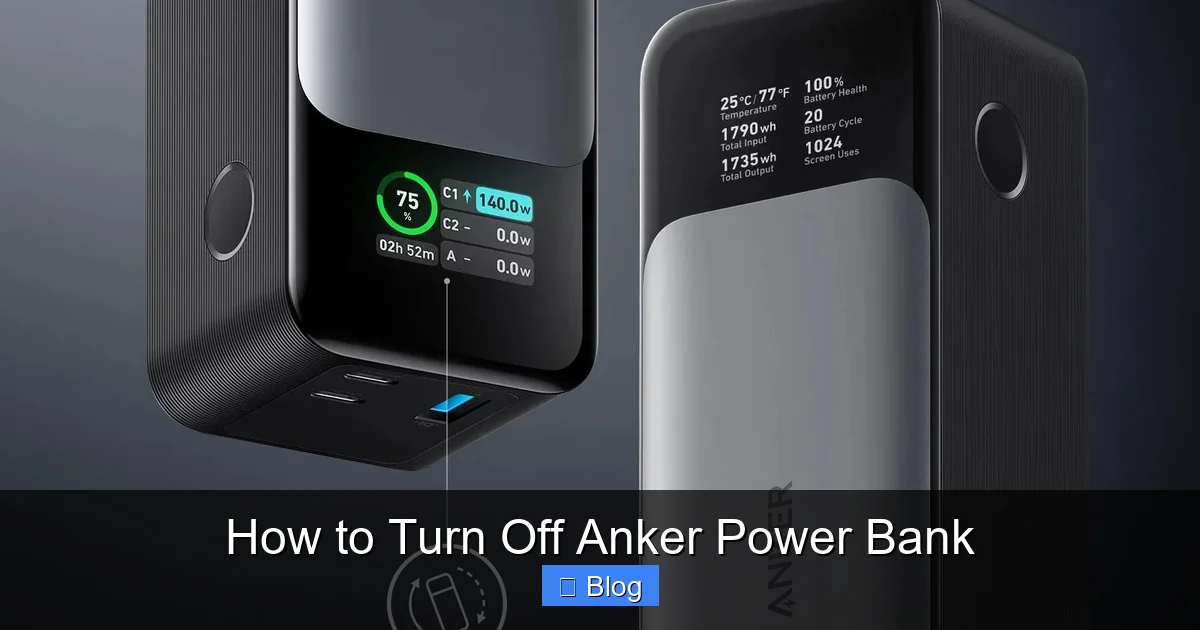
Visual guide about How to Turn Off Anker Power Bank
Image source: robots.net
Unplugging the USB Cable
The golden rule for Anker power banks is simple: disconnect the cable. Once the cable is removed from the output port of the power bank, the circuit is broken. The internal lights on the Anker unit will typically blink and then fade out within five to ten seconds. This is your visual confirmation that the unit has entered its sleep state.
Handling Low-Power Devices
Some users encounter an issue where the power bank shuts down too quickly. This happens if you are charging a device that requires very little current, such as wireless earbuds or a smart watch. Because the draw is so small, the power bank might think nothing is plugged in and shut itself off.
If you find yourself in this situation, look for the “Trickle Charging Mode.” On many Anker models, you can activate this by holding down the button for a few seconds until an LED light changes color (often to green or a pulsing state). This prevents the device from turning off prematurely. To turn it off, you simply unplug the device, and the unit will revert to its standard shutdown behavior.
Understanding the Power Button’s Real Purpose
Many users feel like the button on the side of their Anker device should turn it off. It is helpful to understand what that button actually does so you aren’t trying to force a function that doesn’t exist.
Checking Battery Levels
The primary function of the button on your Anker power bank is to display the current battery level. When you press it, the LED lights (or the digital display on newer models) will light up to show you how much power is remaining. This is perfect for when you are packing for a trip and want to know if you need to plug it into the wall before you leave.
Waking Up the Device
Sometimes, if the power bank has been sitting idle for a very long time, it may need a “nudge” to recognize that a cable has been plugged in. Pressing the button wakes up the internal processor, allowing it to handshaking with your phone to start the charging process. It is essentially a “Wake on Demand” feature rather than a power switch.
Troubleshooting: Why Does It Stay On?
If you have unplugged your device and you notice the lights on your Anker power bank are still active, don’t panic. It is rarely a sign of a broken unit. Usually, it is just a matter of waiting for the internal timer to run out.
The “Cooldown” Period
Some models have a small buffer period where they keep the indicator lights on for a few moments after the device is unplugged. This is just the unit “resetting” its internal logic. If the lights stay on for more than a minute, try unplugging and replugging a different USB cable. Occasionally, a faulty cable can cause a “parasitic drain” that tricks the power bank into thinking a device is still attached.
When to Reset Your Unit
In rare cases, if you feel your power bank is acting strangely, you can perform a soft reset. This involves plugging a cable from the power bank’s output port directly into its own input port (if the model allows for this loop) or simply plugging it into a wall charger for a few seconds. This cycles the power and usually forces the unit back into a standard, stable state.
Maintaining Your Anker Power Bank in 2026
Even though you don’t need to manually turn off your power bank, you do need to take care of the battery inside. Following these simple steps will ensure that your power bank lasts for years to come.
Avoiding Extreme Temperatures
The lithium-ion cells inside your power bank are sensitive to heat and cold. Leaving your unit in a hot car during the summer or a freezing garage in the winter can degrade the capacity of the battery. Try to keep it at room temperature as much as possible. If it gets very hot while charging, unplug it and let it rest.
Storing for Longevity
If you aren’t going to use your Anker power bank for a month or more, try to store it with about 50% to 75% charge. Storing it completely dead can lead to “deep discharge,” where the battery becomes unable to accept a charge again. Because it effectively turns itself off when not in use, you don’t need to worry about it draining down to zero in storage.
Conclusion
Learning how to turn off an Anker power bank is actually a lesson in letting go. By design, these devices are meant to be “set it and forget it.” You do not need to worry about manual switches or complicated sequences to save energy. The advanced engineering inside your charger does the heavy lifting for you.
By simply unplugging your device, you are doing exactly what you need to do. Whether you are a frequent traveler, a student, or someone who just likes to keep their gear charged, you can rest easy knowing that your Anker power bank is taking care of its own power management. Enjoy the convenience of modern charging and keep your devices ready for whatever 2026 throws your way.
Frequently Asked Questions
Do all Anker power banks turn off automatically?
Yes, virtually all modern Anker power banks use smart-sensor technology to detect when a device is disconnected. Once the connection is broken, the unit will automatically power down to save its internal battery.
Can I turn off my power bank by holding the power button?
No, holding the power button usually toggles modes like “Trickle Charging” rather than turning the unit off. The button is intended for checking battery status or waking the unit from a deep sleep.
What should I do if the indicator lights stay on forever?
If the lights do not turn off after a minute of being unplugged, try using a different cable to ensure the current one isn’t faulty. If the problem persists, try plugging the unit into a wall charger briefly to reset its internal circuitry.
Will leaving my power bank plugged into a wall outlet damage it?
Anker power banks feature overcharge protection, so they are generally safe to leave plugged in. However, for maximum battery health, it is best to unplug them once they reach a full charge.
Why does my power bank turn off while charging my earbuds?
Small devices like earbuds pull very little current, causing the power bank to think it is empty or idle. You should activate the “Trickle Charging” mode on your Anker model to keep the power flowing for these smaller devices.
Is it bad to keep the power bank in my bag while it is “on”?
Since the unit automatically shuts down when no device is connected, it is perfectly safe to keep in your bag. It will not drain itself, even if it is not physically turned off by a switch.